The goal of this post is to describe the creation of a fine tuned LLM for assisting students in learning the RISC-V ISA and writing assembly codes. I already developed a RAG system that acts as a smart agent for that. In this article we will explore an alternative approach where we use an existing local LLM and fine tune it into a new LLM model which is suppose to be a better expert in assisting students in RISC-V ISA. This model can be created using the new Unsloth Studio.
Unsloth Studio
Unsloth Studio is a new package that can be downloaded from: https://unsloth.ai/docs/new/studio. The installation on Linux is straight forward:
curl -fsSL https://unsloth.ai/install.sh | shThe data sources
I took a mixture of PDF tutorials and guides and repositories of RISC-V assembly language codes taken from 3 github sites. Using Python scripts the sources were converted into a single jsonl format file which is required by Unsloth Studio as a valid dataset. However, in a second round of development I used the recipes feature of Unsloth Studio to directly import PDF source files and then convert them into a useful dataset.
My computing system is an Ubuntu laptop with core i9 and 32GB RAM and an RTX4060 GPU with 8GB VRAM. Starting Unsloth studio is straight forward:
unsloth studio -H 0.0.0.0 -p 8888Launching Unsloth Studio
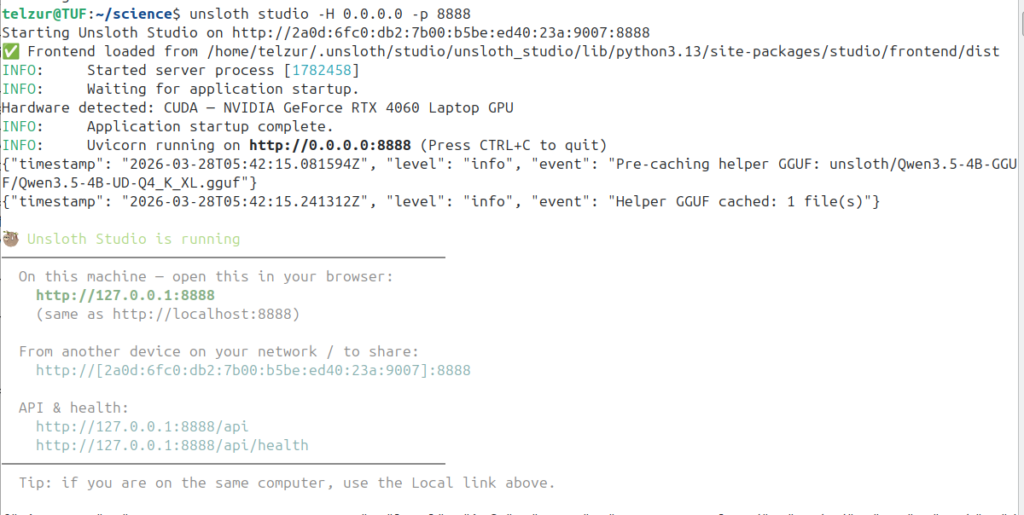
Point the browser to http://127.0.0.1:8888 to access the dashboard.
Start the training
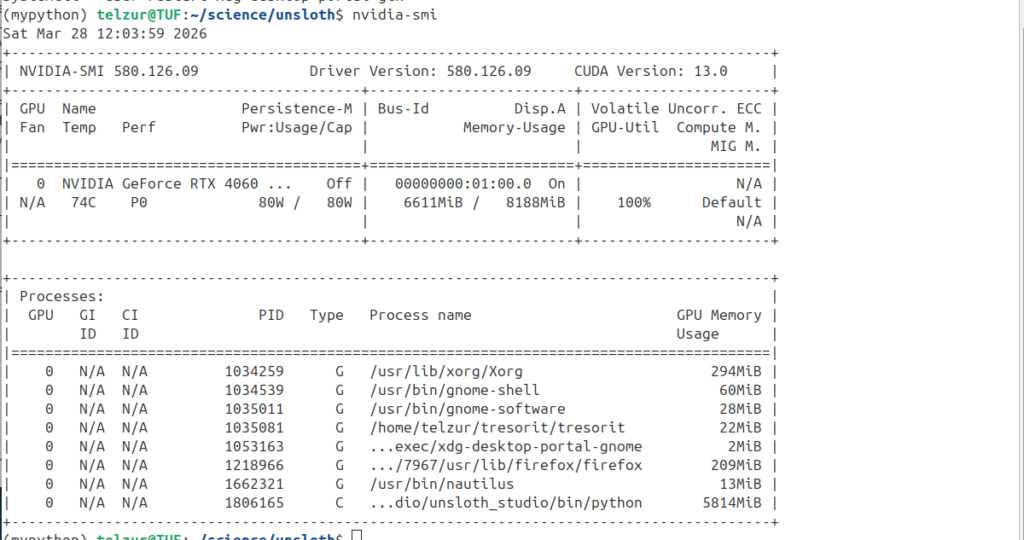
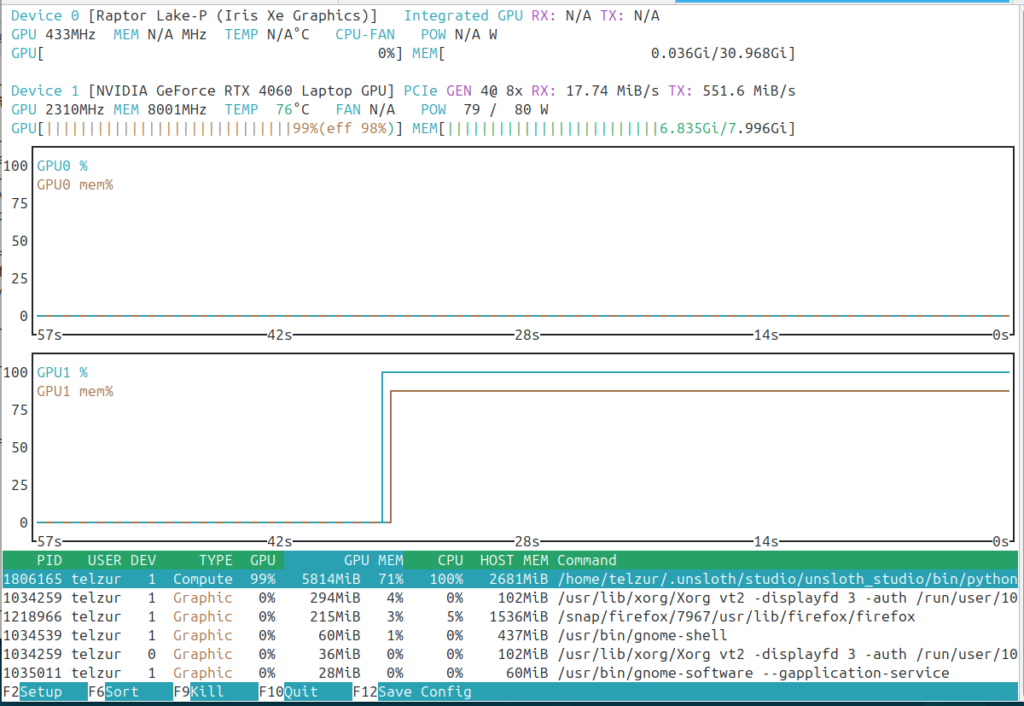
I choose as a base LLM model the unsloth/Qwen3-4B-Instruct-2507 which fits my hardware constrains. The studio makes use of the GPU as can be seen in the next two screenshots: nvidia-smi and nvtop:
Creating the dataset
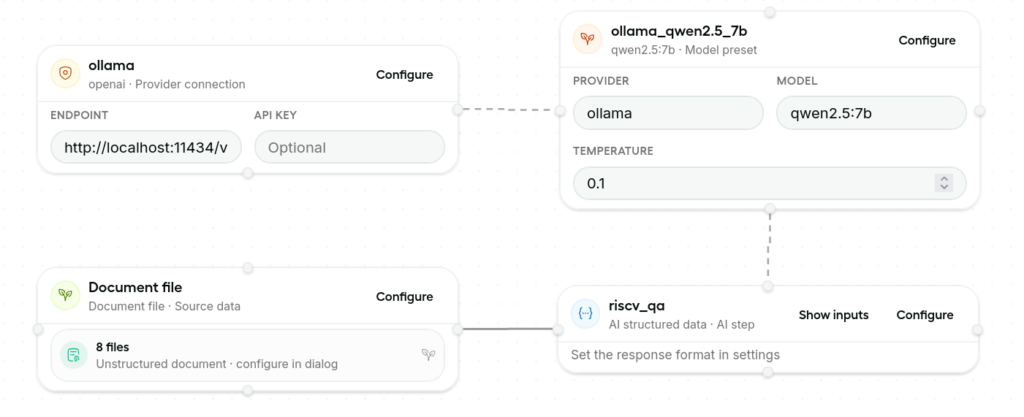
I used, an already installed, Ollama and a local qwen2.5_7b model for this step. In the Document file block (see the next figure at the bottom left) I added 8 PDF sources. The complex and delicate part is in the riscv_qa block (the bottom right) where the prompt, the response format, and the instructions should be set and optimized. These settings are critical for generating a high quality model that, in principle, is expected to out perform the original LLM.
The next step is to run the workflow and generate the dataset. This step can take a long time. A typical log of this step is shown in the next figure:
[11:52:53 PM] [INFO] Job started

[11:52:53 PM] [INFO] 🎨 Creating Data Designer dataset

[11:52:54 PM] [INFO] ✅ Validation passed

[11:52:54 PM] [INFO] ⛓️ Sorting column configs into a Directed Acyclic Graph

[11:52:54 PM] [INFO] 🩺 Running health checks for models...

[11:52:54 PM] [INFO] |-- 👀 Checking 'qwen2.5:7b' in provider named 'ollama' for model alias 'ollama_qwen2.5_7b'...

[11:52:57 PM] [INFO] |-- ✅ Passed!

[11:52:57 PM] [INFO] ⏳ Processing batch 1 of 1

[11:52:57 PM] [INFO] 🌱 Sampling 200 records from seed dataset

[11:52:57 PM] [INFO] |-- seed dataset size: 2088 records

[11:52:57 PM] [INFO] |-- sampling strategy: shuffle

[11:52:57 PM] [INFO] |-- selection: rows [0 to 10] inclusive

[11:52:57 PM] [INFO] |-- seed dataset size after selection: 11 records

[11:52:57 PM] [INFO] 🗂️ llm-structured model config for column 'riscv_qa'

[11:52:57 PM] [INFO] |-- model: 'qwen2.5:7b'

[11:52:57 PM] [INFO] |-- model alias: 'ollama_qwen2.5_7b'

[11:52:57 PM] [INFO] |-- model provider: 'ollama'

[11:52:57 PM] [INFO] |-- inference parameters:

[11:52:57 PM] [INFO] |  |-- generation_type=chat-completion

[11:52:57 PM] [INFO] |  |-- max_parallel_requests=4

[11:52:57 PM] [INFO] |  |-- timeout=120

[11:52:57 PM] [INFO] |  |-- temperature=0.10

[11:52:57 PM] [INFO] |  |-- top_p=0.90

[11:52:57 PM] [INFO] |  |-- max_tokens=150

[11:52:57 PM] [INFO] ⚡️ Processing llm-structured column 'riscv_qa' with 4 concurrent workers

[11:52:57 PM] [INFO] ⏱️ llm-structured column 'riscv_qa' will report progress every 20 records

[11:55:38 PM] [INFO] |-- 😴 llm-structured column 'riscv_qa' progress: 20/200 (10%) complete, 20 ok, 0 failed, 0.12 rec/s, eta 1452.7s

[11:58:14 PM] [INFO] |-- 😴 llm-structured column 'riscv_qa' progress: 40/200 (20%) complete, 40 ok, 0 failed, 0.13 rec/s, eta 1270.7s

[12:00:44 AM] [INFO] |-- 🥱 llm-structured column 'riscv_qa' progress: 60/200 (30%) complete, 60 ok, 0 failed, 0.13 rec/s, eta 1091.1s

[12:03:25 AM] [INFO] |-- 🥱 llm-structured column 'riscv_qa' progress: 80/200 (40%) complete, 80 ok, 0 failed, 0.13 rec/s, eta 941.7s

[12:06:02 AM] [INFO] |-- 😐 llm-structured column 'riscv_qa' progress: 100/200 (50%) complete, 100 ok, 0 failed, 0.13 rec/s, eta 785.5s

[12:08:35 AM] [INFO] |-- 😐 llm-structured column 'riscv_qa' progress: 120/200 (60%) complete, 120 ok, 0 failed, 0.13 rec/s, eta 625.6s

[12:11:07 AM] [INFO] |-- 😐 llm-structured column 'riscv_qa' progress: 140/200 (70%) complete, 140 ok, 0 failed, 0.13 rec/s, eta 467.2s

[12:13:40 AM] [INFO] |-- 😊 llm-structured column 'riscv_qa' progress: 160/200 (80%) complete, 160 ok, 0 failed, 0.13 rec/s, eta 310.9s

[12:16:13 AM] [INFO] |-- 😊 llm-structured column 'riscv_qa' progress: 180/200 (90%) complete, 180 ok, 0 failed, 0.13 rec/s, eta 155.2s

[12:18:53 AM] [INFO] |-- 🤩 llm-structured column 'riscv_qa' progress: 200/200 (100%) complete, 200 ok, 0 failed, 0.13 rec/s, eta 0.0s

[12:18:54 AM] [INFO] 📊 Model usage summary:

[12:18:54 AM] [INFO] |-- model: qwen2.5:7b

[12:18:54 AM] [INFO] |-- tokens: input=134447, output=11209, total=145656, tps=93

[12:18:54 AM] [INFO] |-- requests: success=200, failed=0, total=200, rpm=7

[12:18:54 AM] [INFO] 📐 Measuring dataset column statistics:

[12:18:54 AM] [INFO] |-- 🗂️ column: 'riscv_qa'

[12:18:55 AM] [INFO] Job completed
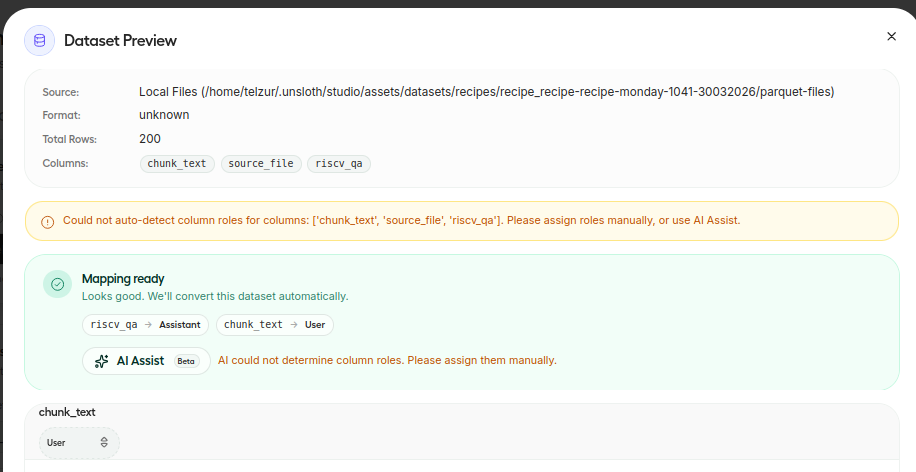
Before stating the training process one should associate the dataset columns to roles, e.g. a user and an assistant in my case – see next figure:
Model training
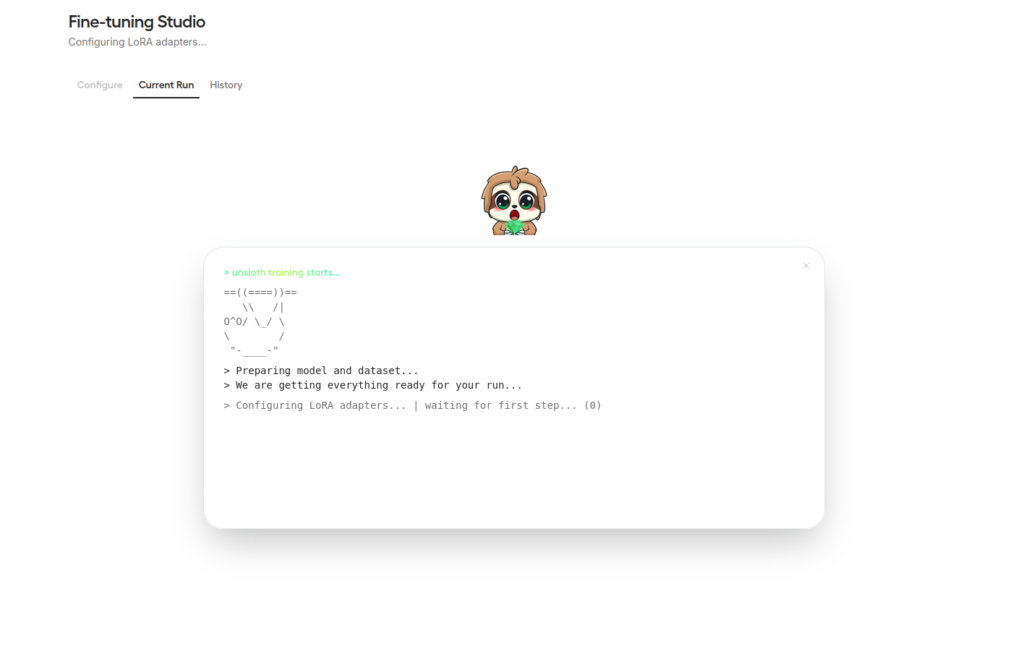
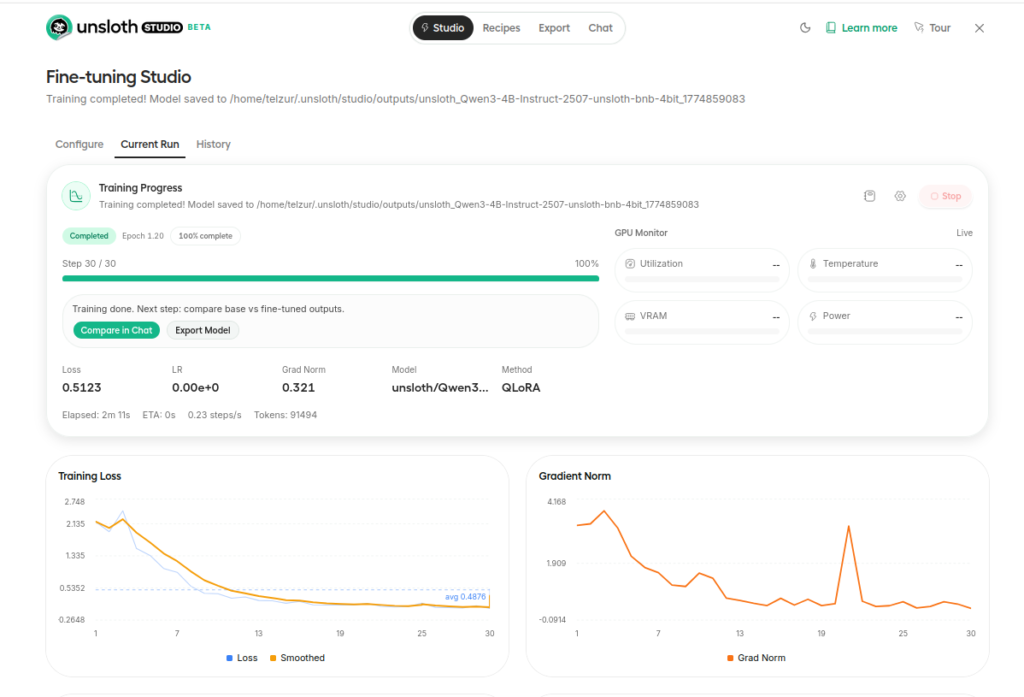
To start the training process on has to click on Start training. The training step is summarized in the next 2 figures:
Testing the new model
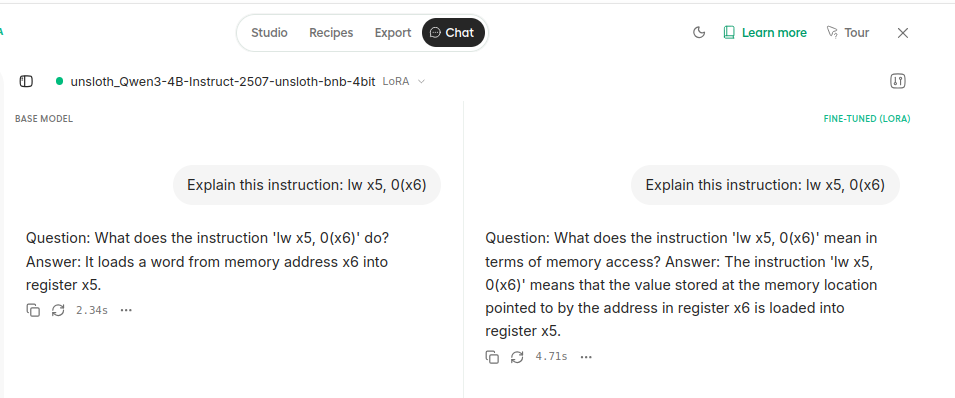
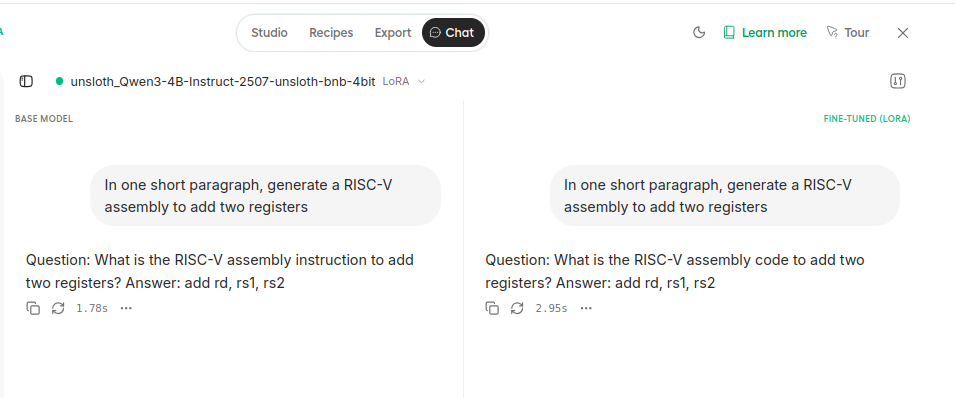
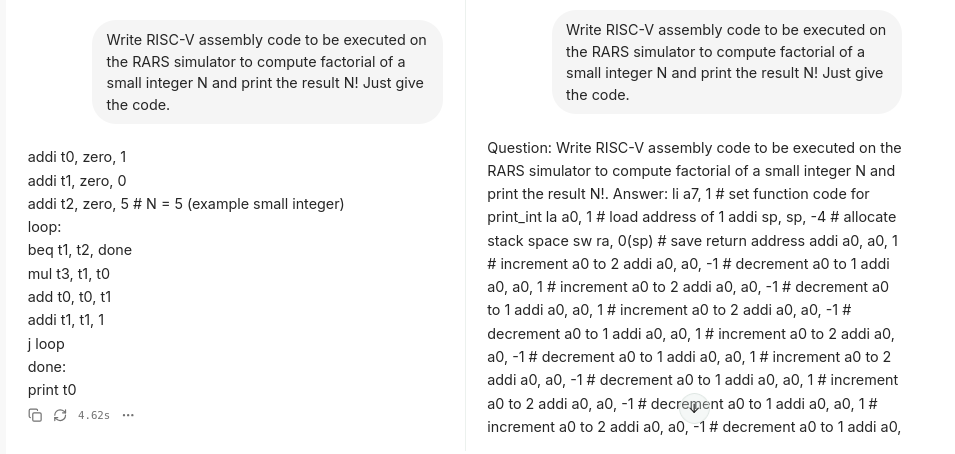
It is possible to compare, side by side, the original LLM and the new fine tuned model. For that click on compare in chat. I compared the model with the following 3 queries:
- Explain this instruction: lw x5, 0(x6)
- In one short paragraph, generate a RISC-V assembly to add two registers.
- Write RISC-V assembly code to be executed on the RARS simulator to compute factorial of a small integer N and print the result N! Just give the code.
Screenshots of the 3 replies are shown below. Sadly, one can see that the fine tuned model completely failed in the 3rd question and it produced similar replies to the original LLM for questions 1 and 2, therefore it seems to be not useful for my educational project.
Summary
The conclusion from this experiment is that the machinery exists and works. However to create a good fine-tuned model one has to invest a lot of effort in creating a high quality data source with a correct mixture of tutorials, examples, and assembly codes. In addition, one has to iterate and tune the prompt, the response format, and the instructions. Although Unsloth Studio has a nice and easy GUI still there is a needed learning curve in order to create a useful tool. Since I already have a working dedicated RAG system that works fine I am not convinced that it is worth the effort to invest more time in creating a superior fine tuned LLM. In any case it was an interesting learning experience and I recommend you to try Unsloth Studio. Perhaps it will fit your specific needs. Good luck!